
Overview
This guide walks you through how to upload and enable Truley Companion in the Microsoft Teams Admin Dashboard.
Prerequisites
Before you begin, please ensure:
- You have access to the Teams Admin Dashboard
- You have administrator permissions (Global Admin) to subscribe or upload apps
- Contact us if you prefer the upload method with a personal deal to receive the file: Truley Companion.zip
Step 1: Acquire APP
Option A: Subscribe Through Marketplace
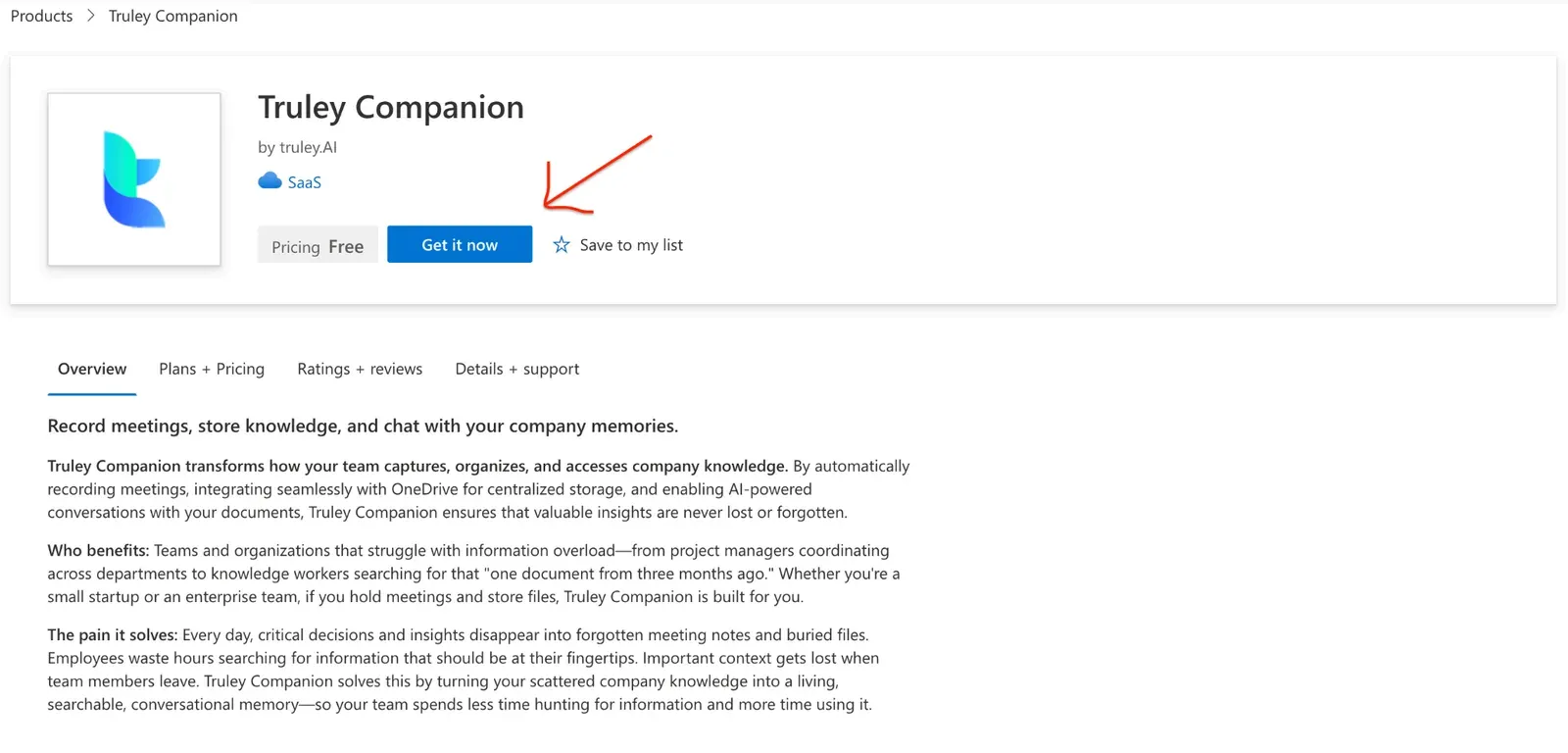
- Visit the Microsoft Marketplace to find the Truley Companion APP View on Marketplace
- Click the Get it now button on the APP page
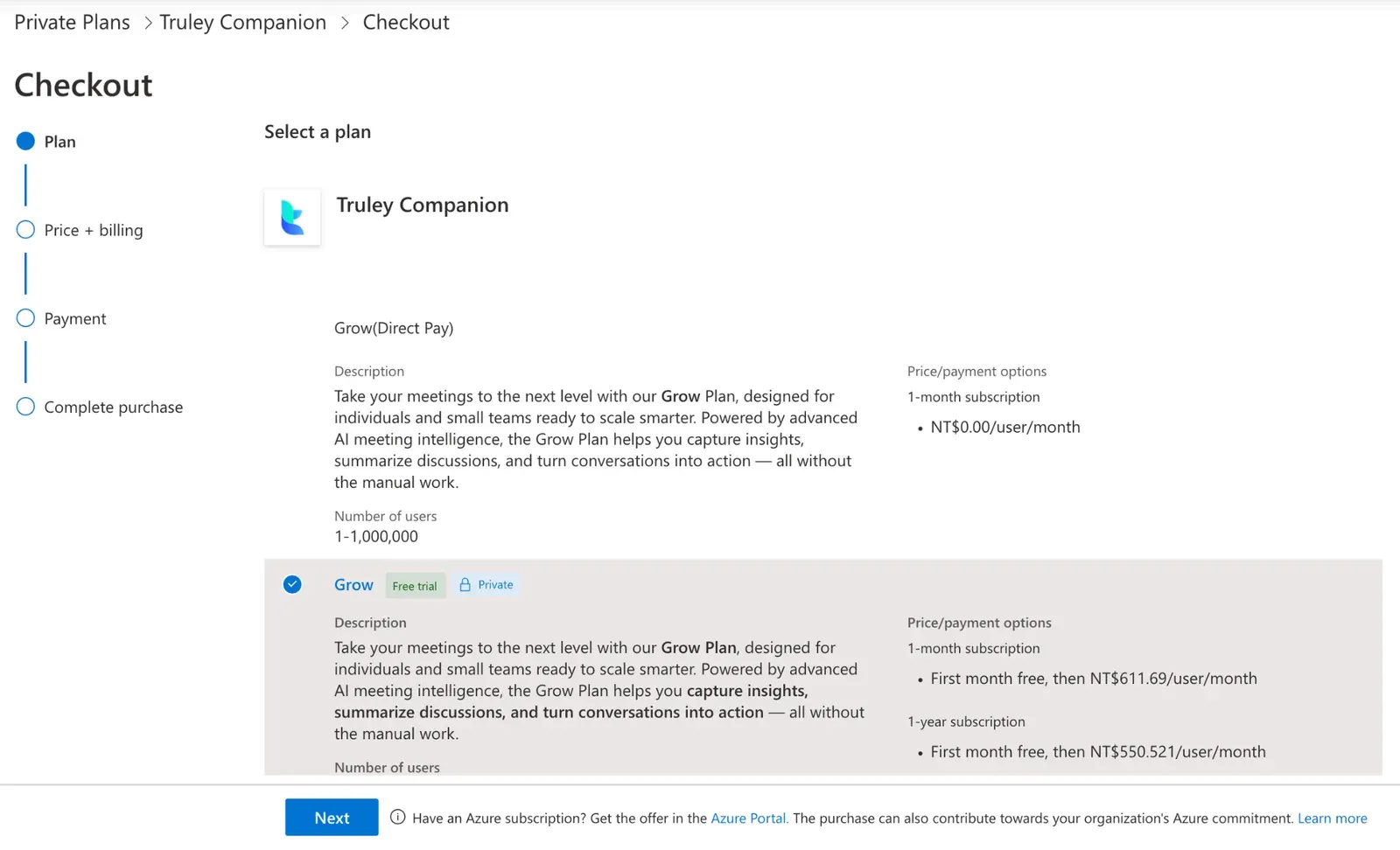
- Choose the plan you want, then complete the subscription process (only choose Direct Pay if you signed a contract directly with us)
Option B: Upload APP
Upload Step 1: Access Teams Admin Dashboard
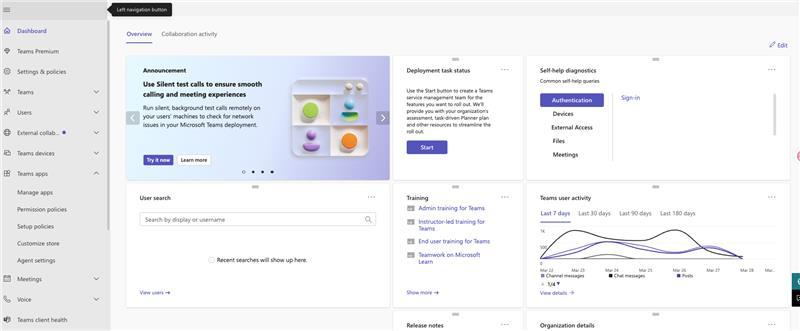
- Go to the Teams Admin Dashboard: https://admin.teams.microsoft.com/dashboard
- From the left navigation panel:
- Click Teams apps
- Select Manage apps
Upload Step 2: Upload Truley Companion
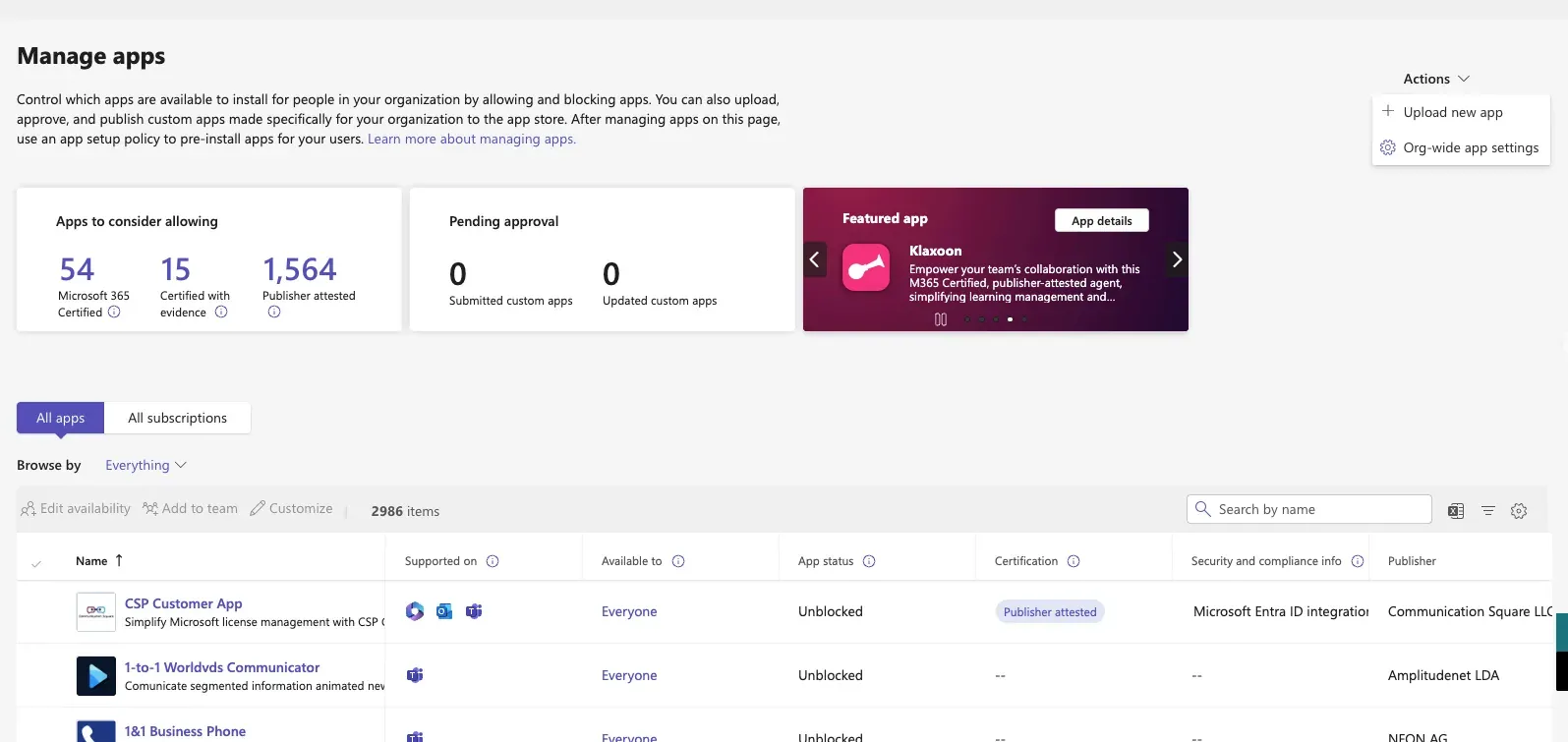
- Prepare the file: Truley Companion.zip
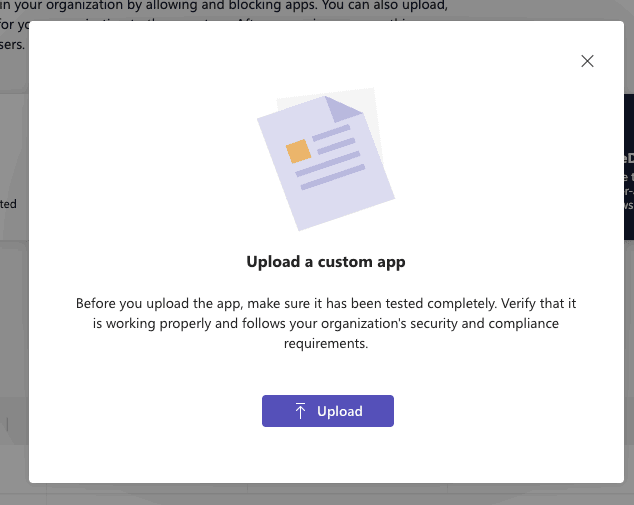
- On the upload screen, click Upload and select the Truley Companion.zip file
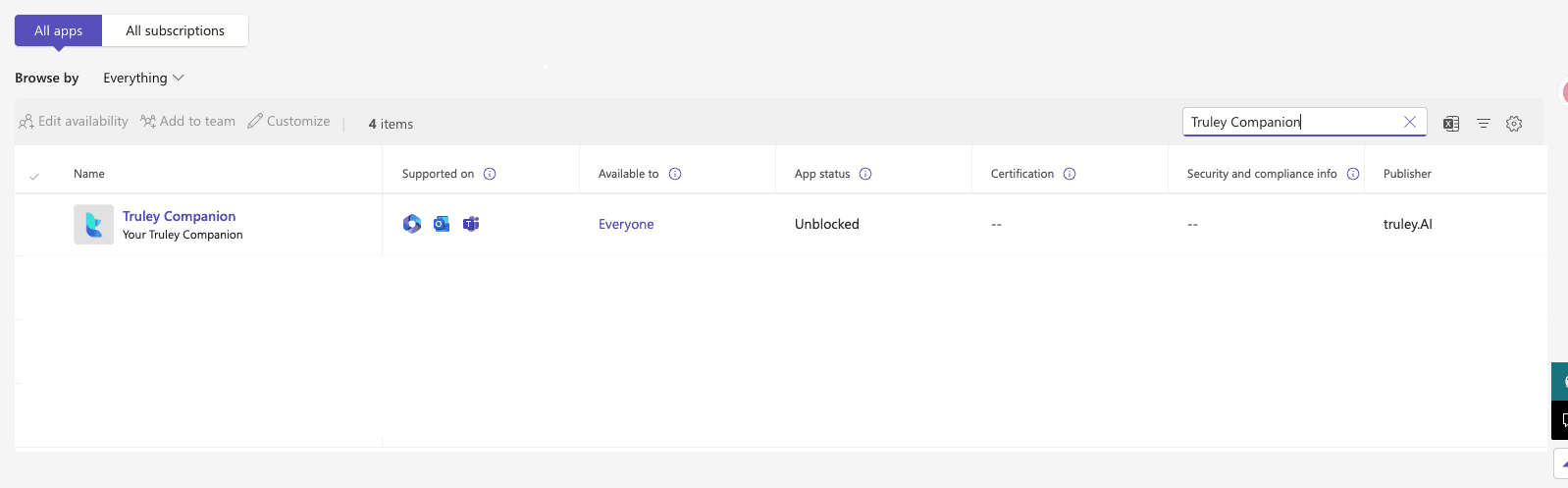
After upload:
- Use the search bar
- Search for Truley Companion
- Click into the app
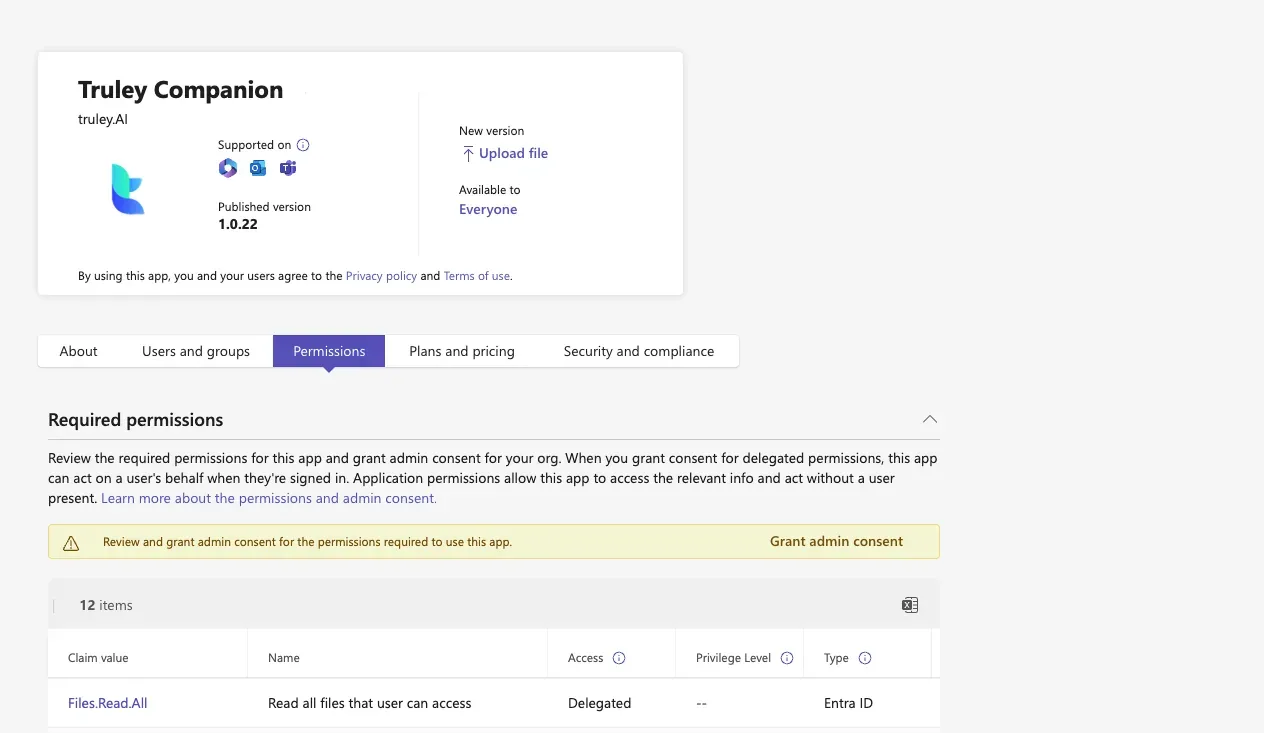
Step 2: Grant Admin Consent
- This step is needed for both subscribing and uploading
- Enter the app page and go to the Permissions tab
- Click Grant admin consent
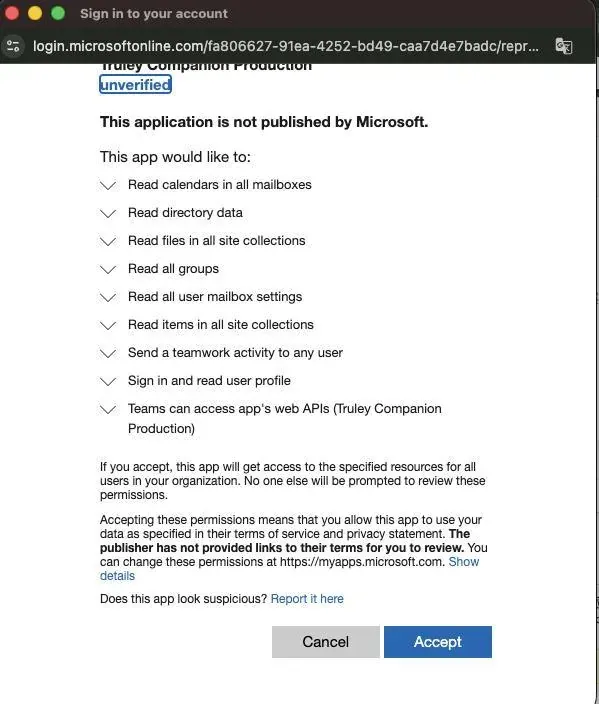
- In the popup window:
- Log in
- Click Accept
Step 3: Verify Installation
After approval:
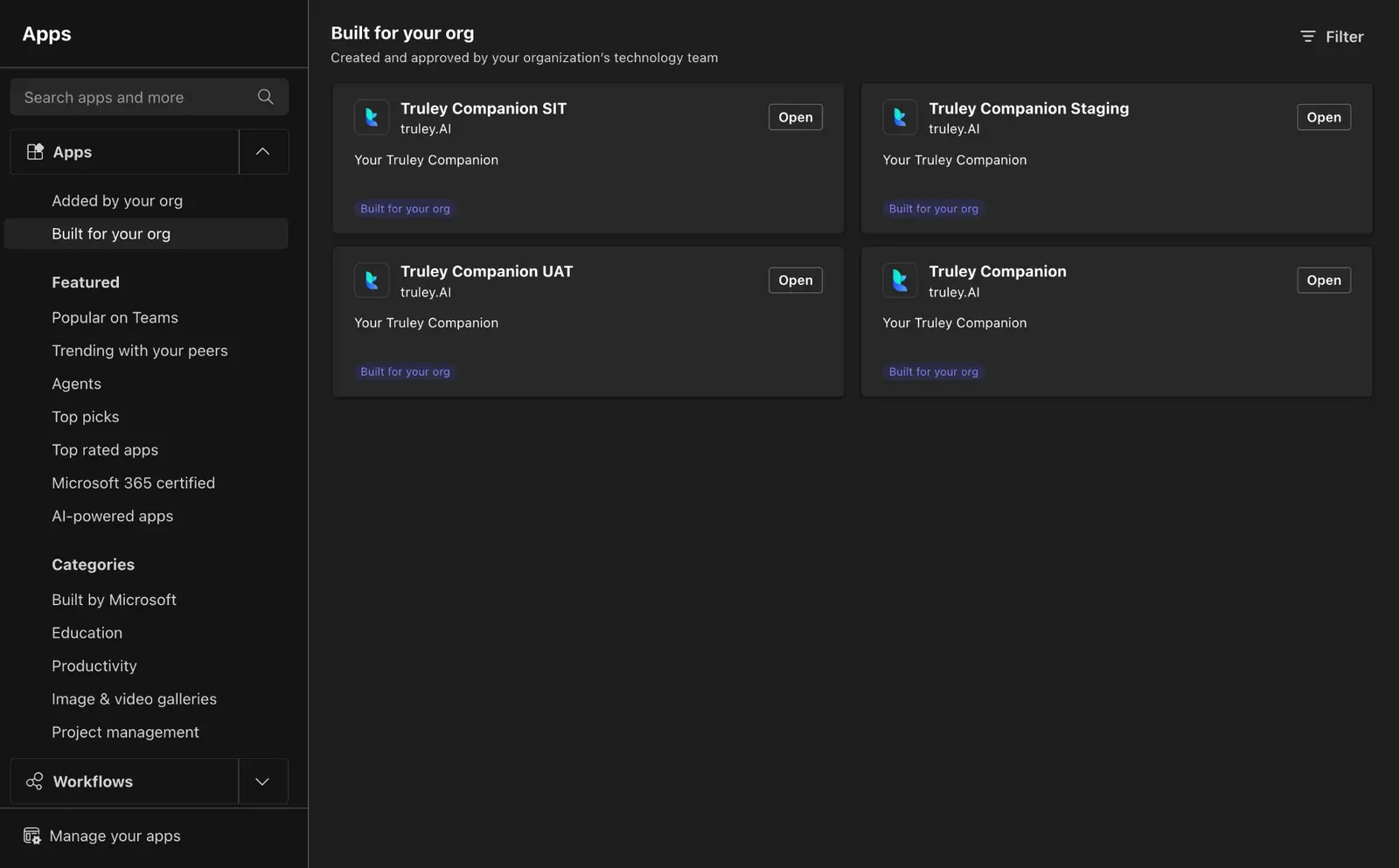
- Go to the Teams app
- Under Built for your org or Created for your org
- You will be able to find Truley Companion
Important Notes
- The app has not yet gone through Microsoft certification
- After installation, we will activate your account. Please contact us if your account is not activated
Troubleshooting
If you cannot find the app:
- Confirm the subscription or upload was successful through the app management page in Microsoft Admin Center
- Ensure admin consent has been granted
- Try refreshing the Teams Admin Dashboard